
H QUIK Seller Helper
Open any product page on Meesho, Flipkart, Amazon, Snapdeal or Myntra and instantly see price info, a Listing Score (estimate), what the listing is missing, its rank and trend, and a profit helper. Check your own listings and your competitors'.
- 100% free
- No data leaves your browser
- No login
Download (zip, 101 KB)
How to install
Version 1.0.2 · Chrome / Edge (computer)
Desktop Chrome only, not on phone. Works in Chrome (or Edge) on a laptop or desktop. Mobile browsers do not support extensions.
1 What it does
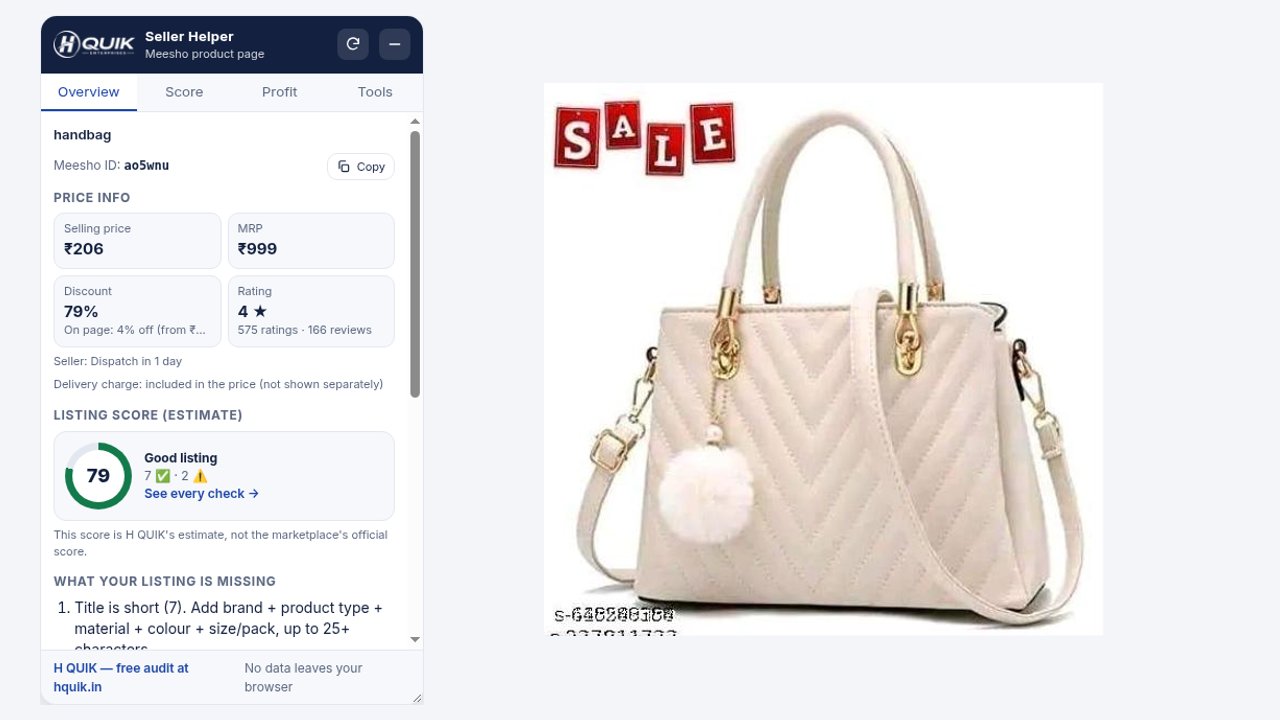
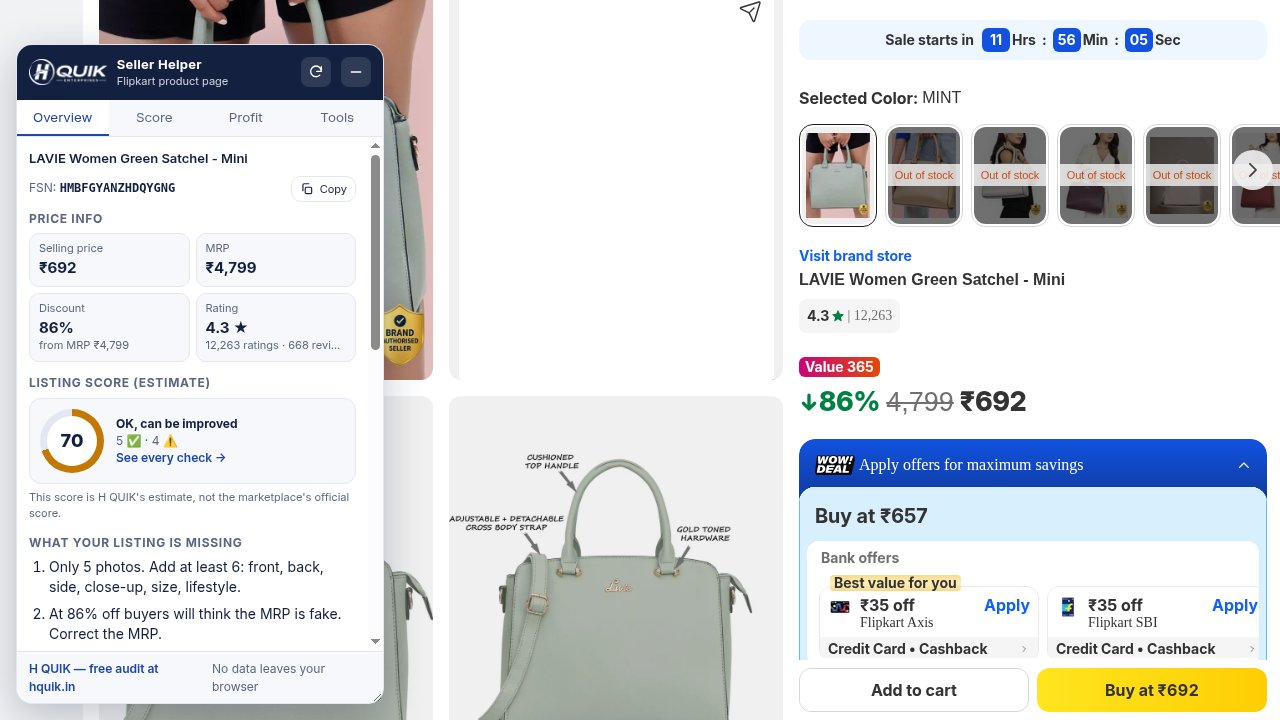
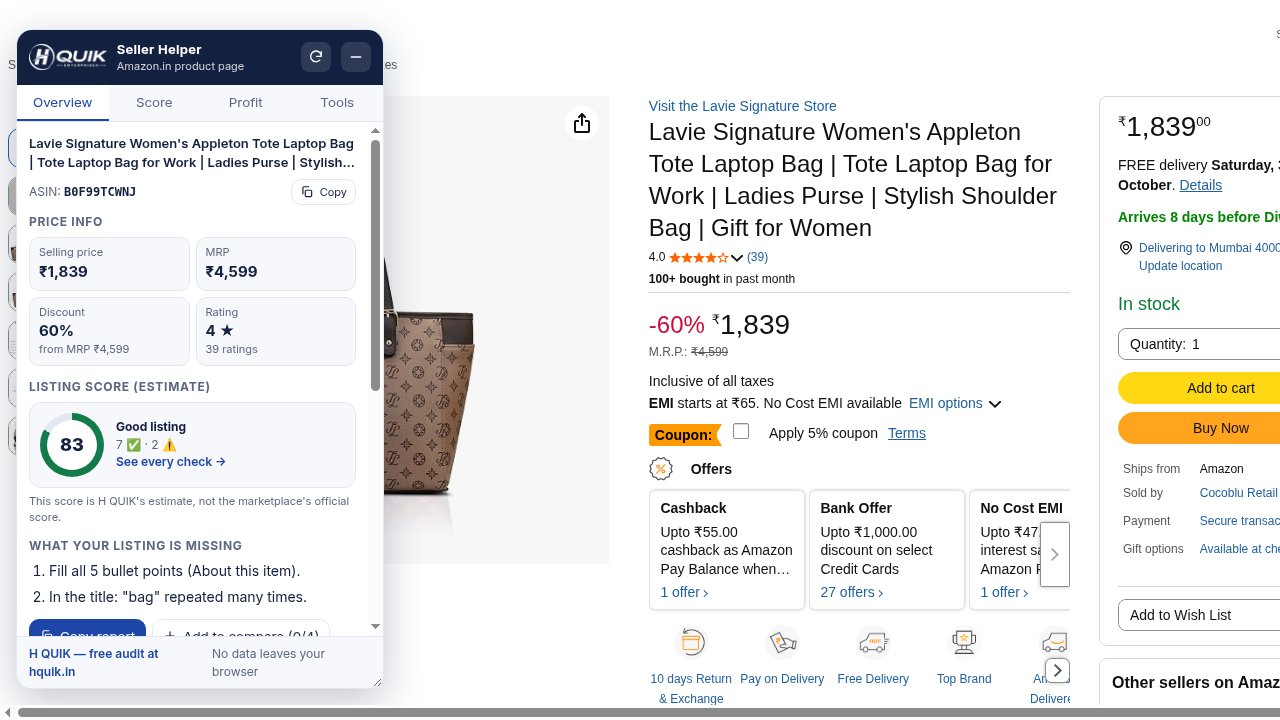
- Price infoSelling price, MRP, discount %, rating and rating count, product ID (ASIN / FSN / Meesho ID / Snapdeal PID / Myntra Style ID) with copy. On Meesho it also shows the listing's delivery charge. If something is not on the page it says "Not found" — it never guesses a number.
- Compare on all sites NewOn a product page, press "Compare on all sites": the other marketplaces' own public search pages open in background tabs in your Chrome, and you get the best match, price, rank and link for each — then the tabs close. It is an estimate (results vary by location and login). If a site shows a check/captcha it says "Couldn't read — open search".
- Listing Score (estimate) /100Title length, keywords/CAPS/spam, photos, description, rating, discount, size/variants, delivery/returns and policy-risk words — with what each check means.
- What your listing is missingThe top 3 fixes in simple English. Send them on WhatsApp with "Copy report".
- Rank & TrendAmazon Best Sellers Rank and "bought in past month" when the page shows them, your product's search position for a keyword, and what changed since your last visit (price, rating, new ratings, rank). Only from pages you open — no sales guesses.
- Find my productOn a search results page, paste your product link, ID or a title word to see its position. The matching card is outlined on the page. Sponsored/Ad slots are shown separately.
- Profit helperEnter cost, commission %, GST %, return % and the profit you want per order (₹) — see rough profit, margin, break-even price and the price you need. Shipping: Auto (from weight and size, or the Meesho page) or Manual (₹).
- Image download + photo check"Download all images" in one click, or one image at a time — full size where the page gives it. Photo count, duplicate photos and Amazon zoom check.
- Logo on product images + movable panelHover any product photo to see a small H QUIK logo. Click it to download that image, download all images, see quick info (price, MRP, rating, delivery charge, search position) or open the full panel. Drag the panel anywhere by its header — it remembers the spot; double-click the header to reset.
- Flipkart: sell this product (latch)Copies the FSN and opens Flipkart Seller Hub with short steps to add your offer to an existing listing.
- Title checker + risky wordsCharacters, words, repeated keywords, CAPS, emoji and risky words like "first copy / replica / cure / another brand's name".
- Top customer complaints + compare + CSVFrom the reviews on the page: size, quality, colour different, damaged, fake. Compare 4 products side by side and download CSV for Excel.
2 Screenshots (on real product pages)
3 How to install (1–2 minutes)
- Click the Download (zip) button above.
- In Downloads, right-click the zip and choose Extract All / Unzip. A folder named
hquik-seller-helper-v1.0.2is created — keep it somewhere like Documents and do not delete it. - Open a new tab in Chrome and type
chrome://extensionsin the address bar → Enter. - Turn ON the Developer mode switch at the top right.
- Click Load unpacked and choose the unzipped folder (the one with
manifest.jsoninside). - Click the puzzle icon in the Chrome toolbar → click the pin next to H QUIK Seller Helper.
- Now open any product on Meesho, Flipkart, Amazon.in, Snapdeal or Myntra — the H QUIK panel appears at the bottom left (drag it anywhere).
Chrome may show a "developer mode extensions" message — this is normal, because the extension is installed from a file, not from the Chrome Web Store. Do not disable the extension. When a new version comes, remove the old one and add the new zip the same way.
4 Privacy: no data leaves your browser
- Everything runs inside your browser. No server, login, analytics or AI.
- It only reads pages on www.meesho.com, www.flipkart.com, www.amazon.in, www.snapdeal.com and www.myntra.com.
- It never reads seller panels (Meesho Supplier Panel, Flipkart Seller Hub, Amazon Seller Central, Snapdeal and Myntra seller portals).
- Your cost, compare list, price memory, search positions and trend are saved only in this Chrome.
- Images download only when you press a button, from the marketplace's own image servers.
- "Compare on all sites" opens the marketplaces' own public search pages only when you press it, reads the top results there, then closes those tabs.
5 Good to know
- This score is H QUIK's estimate, not the marketplace's official score.
- Profit and auto shipping are rough estimates; confirm fees, shipping and GST in your seller panel or with your CA.
- If a marketplace changes its page, a field may show "Not found" — press Report a problem in the "Tools" tab and send it to us on WhatsApp.
- Desktop Chrome / Edge only. Not on phone.